Start a new chat to ask Matilda a question or work on a separate task. These steps cover Matilda in a web browser.
Before you start
Open Matilda and sign in to your account. Update any older bookmarks to use matilda.com. Use sample text while learning the controls. Check your organisation's rules before adding confidential information.
For company access, follow company sign-in. If your organisation is available under Chat as in the account menu, select it before sending an organisation message. Opening organisation Settings does not select that Chat context.
Send your first message
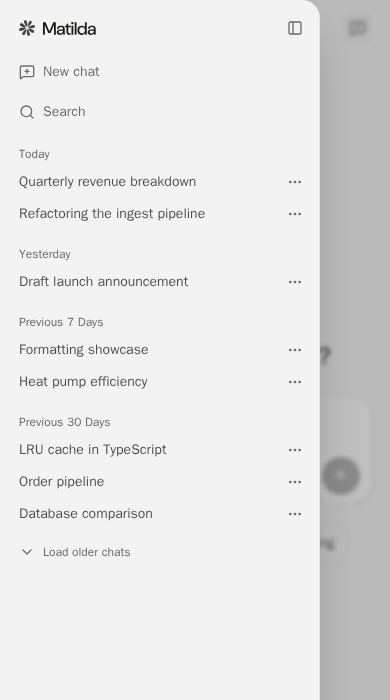
- Select New chat in the sidebar. On a narrow screen, select Open sidebar first to reveal it.
- Enter your question or task in the message box. Include the result you want and any context Matilda needs. For example, “Help me draft an agenda for a 30-minute project meeting.”
- Select Send message. Matilda's reply appears in the conversation.
- To refine the result, send a follow-up in the same chat. For example, “Allow five minutes for questions.”
Use the message box to describe your task. This example uses sample text.

Start a separate task
Select New chat again when you want a separate conversation. To return to an existing conversation, open the sidebar and select its title.
On a narrow screen, the sidebar opens over the chat so you can choose a conversation or start another one.
If the reply stops early
Read the notice below the answer before resending your question. Recover an incomplete answer explains when to use Continue or Retry.